Found my DAM! Excire Foto 2025
| 10 min read
I was a loyal customer of Adobe until they raised prices by 100% and slapped me with a 80 euros fine for ending my 13 years old Lightroom subscription. I've been a lightroom refugee for a year now and it's been quite hard coming up with a good worflow. Until now!
⚠️ Warning! This is going to be long!
Jump around:
For the image editing part, I switched to DxO Photolab and am very happy. The raw engine is much better than Lightroom, to a point where my photos need barely any editing. I don't know why, it's just easier to get a good result with DxO. However, the Library view is too limited. There are some unsupported file formats, the filtering is limited, I don't love the search functionality. I have a lot of videos too.
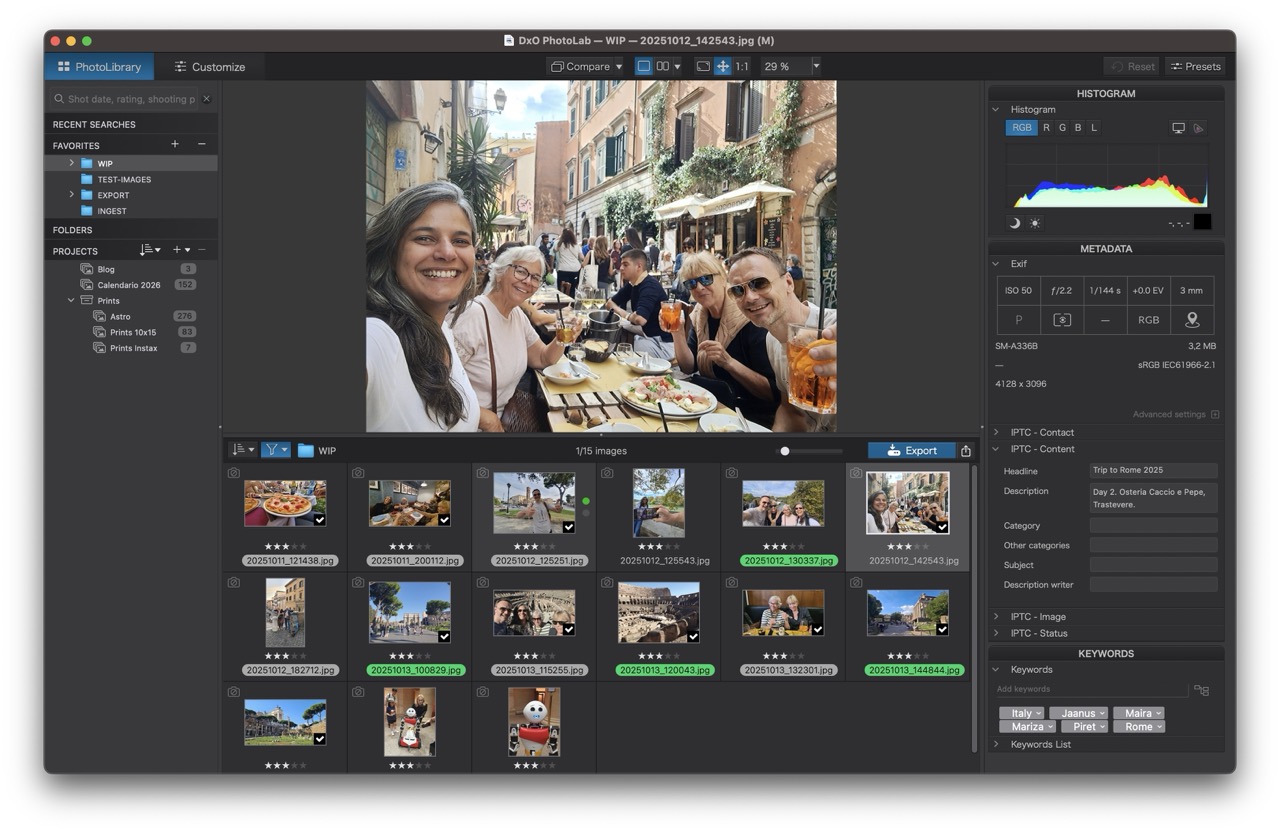 DxO Photolab's Library
My biggest problem those past years has been organization. I have a library of about 120k personal photos (and 400k from old clients, from back when I was a professional wedding photographer, but that's another story). While I've always been good with my clients' photos, I have neglected my own images. Maybe only 5% of my images are geotagged and I think only about 10% are keyworded. Files are not renamed in any meaningful way, or titled, or captioned. The only thing I've always done right was to import them into folders by yyyy/yy-mm, so at least I can find vacation photos from a few years ago...
I've been using PhotoMechanic 6 for a decade now, I just love the speed for ingesting and culling, but without a catalog I'm stuck having to navigate from folder to folder, and with no good way of searching for all photos of, say, my dog Astro. Let's be honest, I haven't been culling anything either, photos are all just dumped into folders. If I had been better at culling, my library would be more manageable.
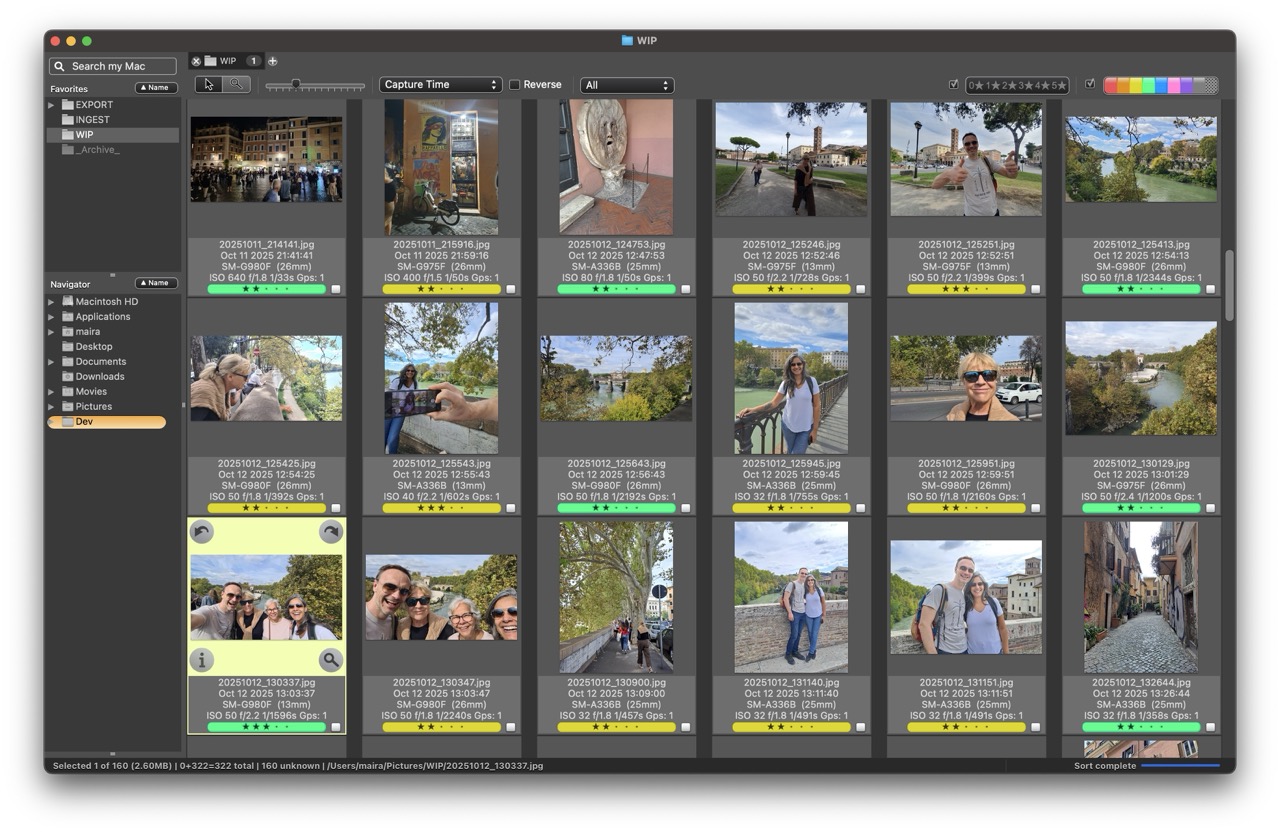 Photo Mechanic 6 Contact Sheet
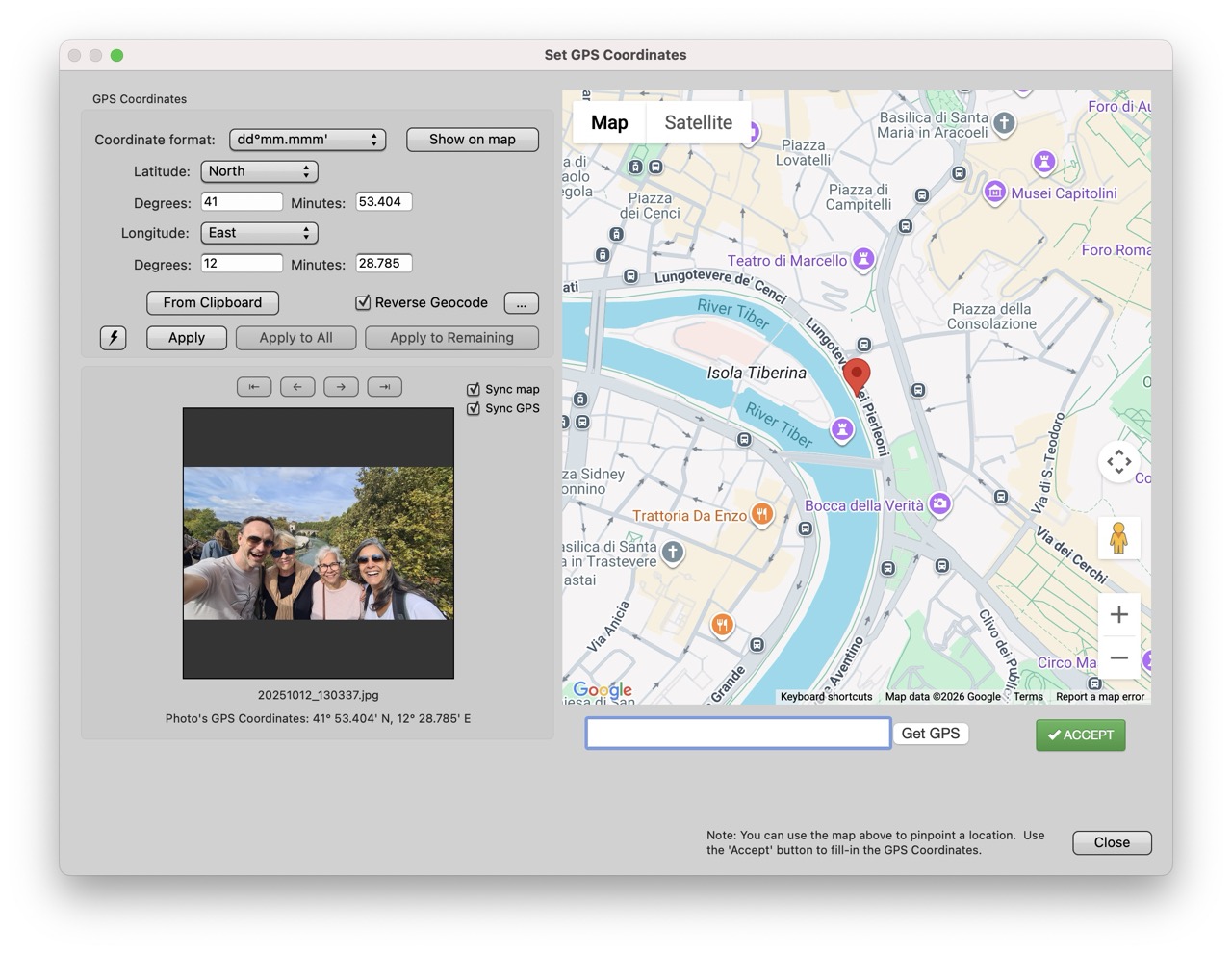 Photo Mechanic 6 Geotagging
Trying Digikam
To fix this mess, I'm starting with recent photos and working my way backwards. I picked something easy: a 4-day trip to Rome with our mothers last year, about 650 images. Photo Mechanic makes it easy to geolocate images, as well as batch add titles and captions. Keywording is its weak spot. It's just not very well though-out. You can easily add, but cannot easily remove tags.
I decided to try Digikam and we got off on the wrong foot because the installation process was a pain. Once all the database drama was cleared, and all my library was in Digikam's catalog, I realized it is still not what I am looking for, the interface is convoluted, the program feels heavy, the themes are poorly designed, it drains my battery, I hate the icons for star ratings... But it is excellent for keyword tagging. And it is absolutely incredible for face tagging!
I settled on a first pass on PM, then Digikam only for face tagging and keywording, then DxO for editing and exporting, and back to PM. This workflow is not ideal, but it works. I managed to get the selection down to 120 and we had a blast watching it as a quick slideshow on TV!
Andy Hutchinson's Digikam review
Trying ACDSee, Tonfotos, PhotoSupreme
I was still not happy with the speed of the workflow, how many different steps and programs were involved in it. It feels like something will break as soon as I get to work on a larger project. It's a shame because Digikam does most of what I need, but I would be lying if I said I fully trust it with 100k photos.
So off I went again, in search of a good DAM.
My first choice was Tonfotos, but it's not enough for my (super basic) needs. It's basically just an image viewer with face tagging capability and nothing else. I would rather keep using Digikam, or XnView MP, or even PM6.
Then I found Acdsee for Mac. I really wanted to love this, but alas, it just isn't possible. This program sucks. I read the Windows versions are on another league, but the Mac version is completely handicapped. I like the UI, I discovered how I could work with IPTC titles and captions, and I really liked the face tagging. But I find it extremely problematic that keywords, color labels and ratings are stored in acdsee's proprietary metadata instead of standardized xmp/iptc fields.
There is no way to actually jump between programs the way I've been doing (eg: I cannot tag some files with a color or with stars, then filter those in DxO). Still, I was willing to make a compromise and commit fully to Acdsee and ditch PM6. So I started importing a larger sample of my images, about 10k to start with. And that's when I realized the Mac version has no metadata/exif filter! A deal-breaker. I was willing to accept the proprietary metadata, but I need a way to find photos taken with each of my cameras and lenses. That's where I draw the line in the sand.
Andy Hutchinson's Acdsee for Mac review
iMatch and PhotoSupreme were also mentioned in several photography forums as The DAMs to try. As a Mac user, iMatch was no go, but PhotoSupreme looked very promising indeed. Until I imported the same 10k images and started playing with it. In simple terms: UGLY AF.
Digikam manages to look prettier than PhotoSupreme! The menus are a mess, the naming of the menus, the bottom palette when working with groups or individual images. Awful. Of course, if the software is truly good, we just learn to live with it. But it is not truly good. It's not even good enough. It made a MESS of the already tagged faces (stored in the metadata, and correctly read by Tonfotos, Acdsee, and Digikam), showing every face area twice but in different parts of the image, eg: my face in the proper area and another area called Maira placed in the sky. I found the face tagging menu convoluted, I couldn't even get the GPS menu to work without getting an API key from google... The software is ugly and hard to use. I'm willing to work around one of those issues, but both?! NOPE.
Testing Excire Foto
I confess I didn't want to try Excire because of the AI thing. I knew about it for a couple years now, but I just refused to even look at their website. I resisted downloading a trial, but I am so glad I finally did, because I LOVE IT.
This is exactly what I was missing in my life. Simple, pretty, uncluttered UI, very easy to use. Minimal learning curve, menus make sense, there are plenty of tutorials, a good Welcome screen, a decent online manual, good keyboard shortcuts. The AI model is entirely local, nothing gets sent to the cloud. I started my test with only 2 small folders, about 200 photos total, just to see how the AI keywords work, the search, how to edit IPTC, geolocation... Face tagging is brilliant. Search is brilliant. I'm in love.
Andy Hutchinson's Excire Foto 2025 review
I had a folder with phone photos full of duplicates, triplicates even, lol. I used Excire's Find Duplicates thing and it worked. It didn't decide anything for me, didn't delete anything. It just grouped identical photos in rows, for me to decide with pick/reject flags. From there, I used the flagging assistant to reject anything with names matching the duplicate name patterns in my folder (*A.jpg, *B.jpg, *-2.jpg). That took care of about 160 photos at once. I double-checked my results, selected all rejects and hit Remove from disk! PUFF! Gone!
Next I right-clicked on the folder to make a Culling Project. I found it quite interesting, it gives you multiple options for seeing the photos, grouping by people, by time sequence, by similarity. You can also merge one group into the other. Very quickly (and I mean VERY quickly, much quicker than I'd be culling with stars in PM), I had narrowed down my selection to only 40 keepers. Deleted the rest. BAM!
Next, I imported a larger sample of folders. Selected a photo of my husband, hit Find People. BAM! 3500 photos instantly appeared, including some I didn't remember at all. Next, searched by Text Prompt "spanish galgo". BOOM! 2000 photos of Luna instantly appeared.
Here I realized Excire just isn't as good with animals as with people. The "spanish galgo" search also returned some llamas and ugly wooden sculptures (but curiously found some cute photos of her nose and her butt!). Searching by Astro's face (because of course I tagged my dog as a Person!) returns a few results of him and a lot of children's faces and some completely random things (crowds, streets, a bakery).
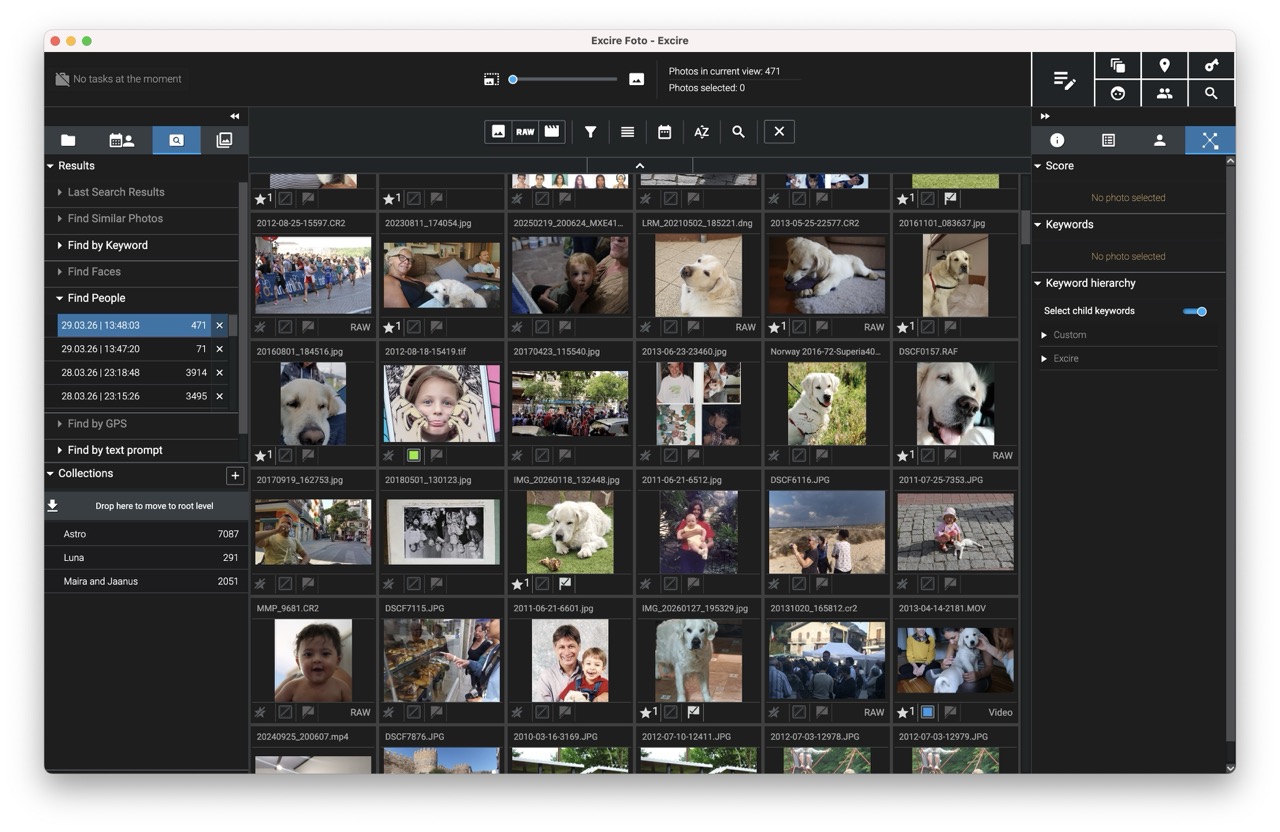 Excire confusing a dog face with any cute face
I hope they will get better at identifying animals in general, and specific pet faces (I've had many cats and dogs and even rabbits in my life). However, I think the way it works right now is a big improvement over what I had (which was nothing whatsoever). I will keep using keywords for people in addition to faces (for example, tagging someone who's back is in the photo) as well as keywords for places/locations in addition to geotagging. But I will absolutely not bother tagging anything else, as the search in Excire has proven to be great for me.
I was sold, I was in love. They offer a free 30-day trial. I bought a full license within 12 hours of testing.
A few parting thoughts: All my photos are stored in external SSDs; Excire builds a catalog with previews and I can keep working on my images even if my drives are disconnected. Excire is extremely fast. I can jump to any part of my 100k catalog and instantly see the thumbnails. I also find it is very lean and not resource-intensive. Laptop battery is holding on nicely, still at 70% even after almost 4 hours working; compare that to Digikam, which drained my battery down to 30% after only an hour. After searching for one face, I can batch tag them all. I can batch edit IPTC titles and captions easily. I wish we could reorganize the keywords by dragging and dropping, but I found a good and quick way to work with it.
Comments