I made a new Books page for my blog
I think I'm coming down with the flu or something. Every time I get to have a social life and meet my friends (3 or 4 times a year) I end up sick! I am so tired and sleepy I didn't have any energy to get up from the couch this weekend.
Which is why I finally had the "time" to work on something I've been wanting for a while: a programmatic books page! I used Kev's comments on building a GUI Editor in PureBlog's dashboard as a starting point, and used Pureblog's edit-page.php as a guide for getting my own edit-book.php page to work.
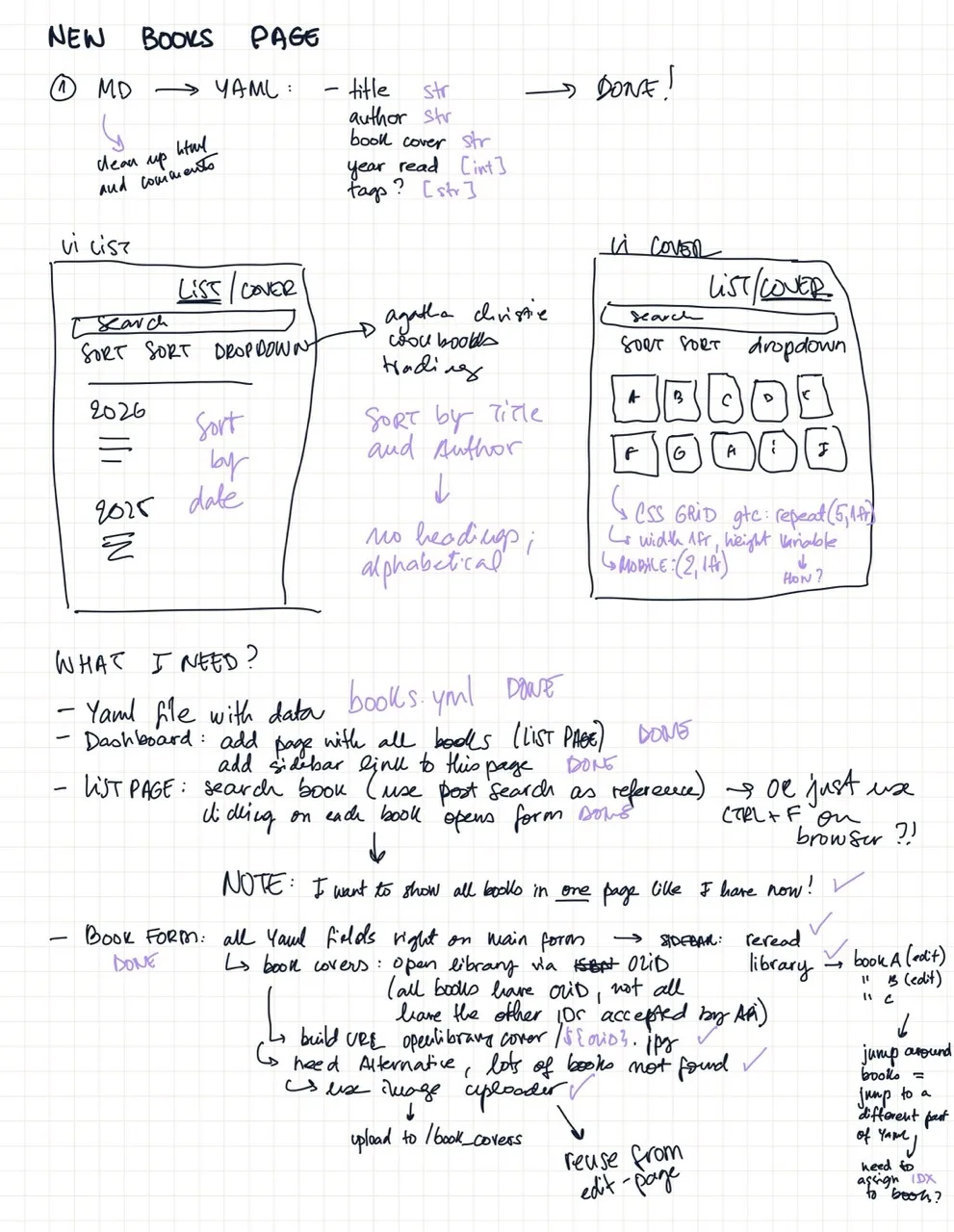 I used the note-taking app Noteful on my ipad and the apple pencil to plan the layout and roughly organize my ideas.
I don't know much about PHP, I am (was) a JavaScript developer. Because of that, I wanted to use an AI to help me translate my logic to PHP. I have never used AI for coding, I don't have an account with ChatGPT or Claude. I considered using Claude for this but it looks like it is paid, so I went with Gemini as a helper.
"Helper" in air quotes, I must say.
While I did get the results I wanted, the path there was absolutely maddening. It inserts emojis on every line of output text, it adds unnecessary comments everywhere, it writes very convoluted code.
At some point, it found a typo on my code: I wrote "rereas" instead of "reread". I fixed it and let the Artificial "Intelligence" know, so we could move on to the next step. From that point on, every response it gave me came with a "Bonus Tip" for me to make extra sure I was being really extra careful in hunting down and deleting the typo, otherwise the typo blah blah blah etc etc.
It did so about seven or eight times, even thought I explicitly told it "the typo is fixed, do not bring it up anymore". I got so angry, I was sweating, I was yelling at the computer, I cursed the AI and I'm sure I'll pay the price for this once the robot revolution is underway.
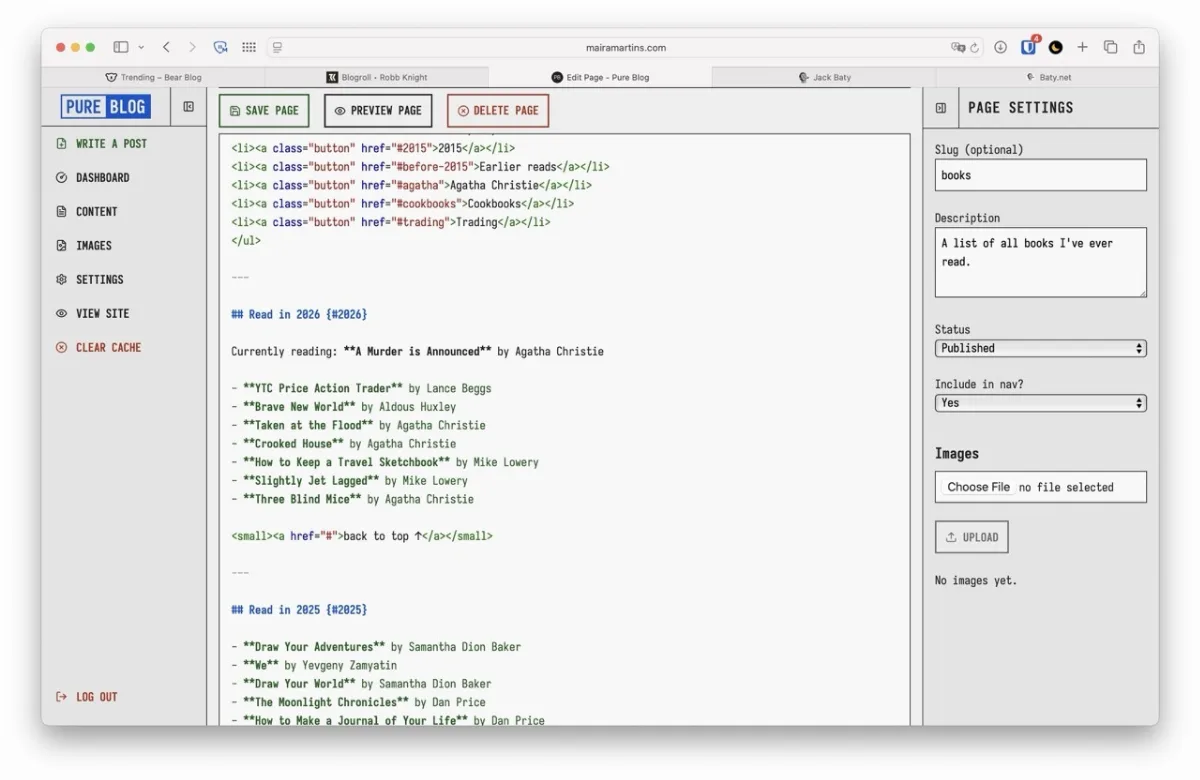 My original Books page, written in markdown
Anyhoo. The first thing I did was to cleanup my markdown, remove the html and comments I had added to some of the books, and asked Gemini to transform this into a yaml file according to my specs. It did the job well -- tho, truth be told, it was not a very hard job.
Knowing exactly how I wanted my yaml formatted, I went ahead and created two functions with the help of the AI, inside /content/functions.php: load_books() and save_books().
From there, I followed Kev's post as a blueprint. I opened /admin/content.php and tweaked it to show a Books tab under Content in the Sidebar. On this same file I also rendered the Library page; it just loops through the yaml file and prints each book's title and author, with a link to edit the specific book entry.
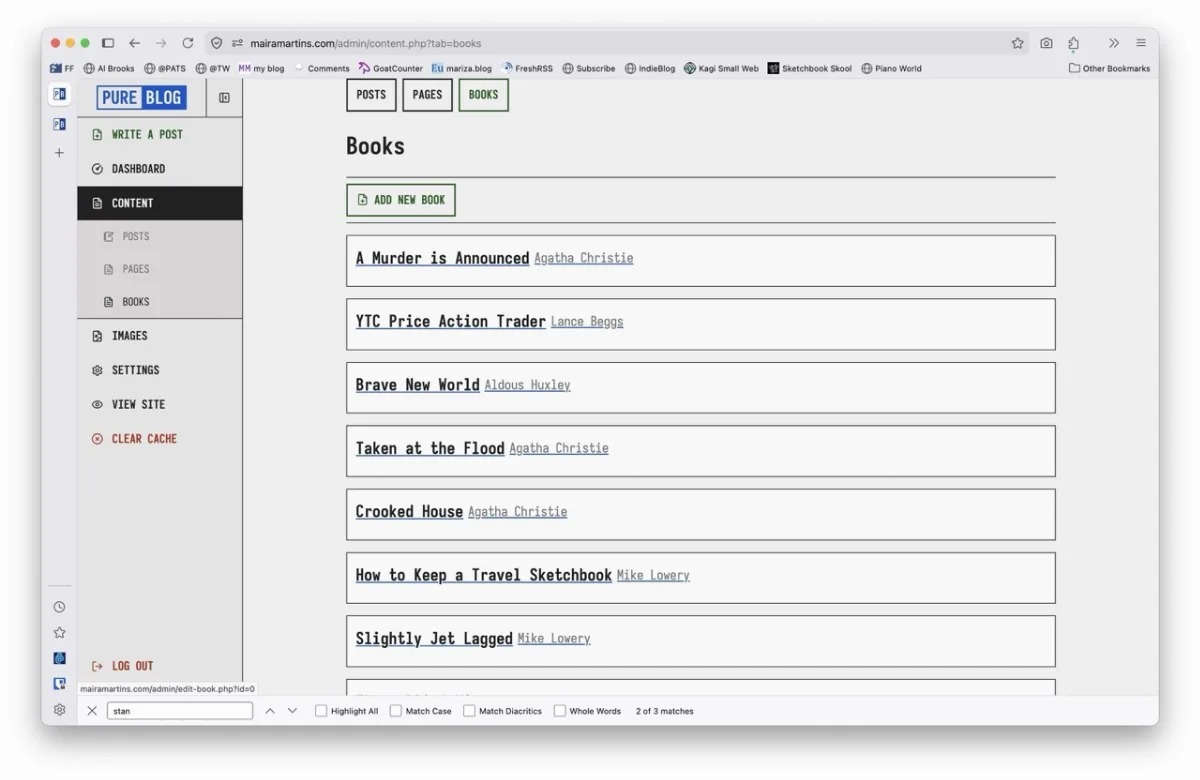 The book's library, with links to edit book entries
PHP is deceptively similar to JS, which means I can read all of it and write none of it. The AI had to rescue me multiple times and with each attempt the code got more and more convoluted!
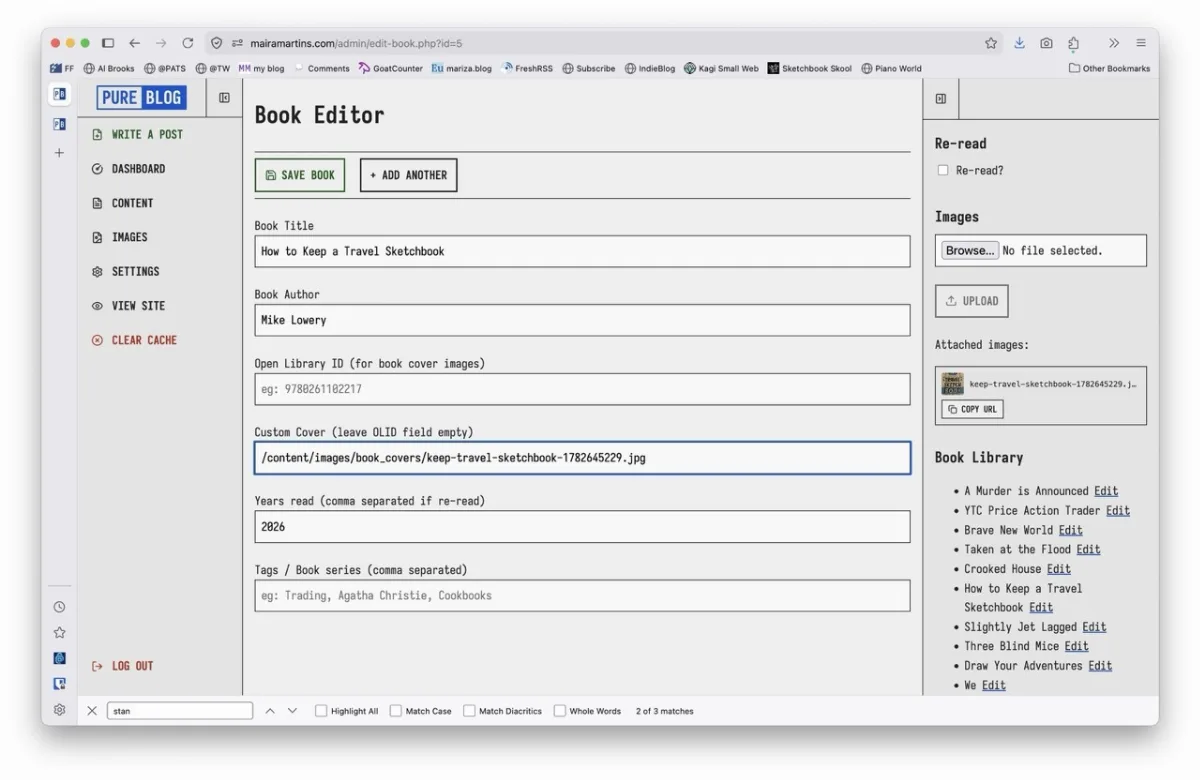 The editor page showing one book entry in the YAML file. The sidebar holds an image uploader for custom book covers and a quick nav for editing other books in the library.
I started working on /admin/edit-book.php (a copy of edit-page.php) and creating my form fields. From here, I created /content/includes/books.php and added a Custom Route to this page in PureBlog settings. I asked the AI to write me a simple file to loop and render the book list. My dedicated assistant went above and beyond. Not only did it create my file, it also added some inline CSS styling everywhere (2000s grey gradients, anyone?!), tons of emojis, and completely ignored the header and footer I already had in place.
I got carried away fixing the file and ended up working on the entire UI side of things, the CSS, the views (list / cover), the sort buttons and dropdown selectors. Here I struggled too. I worked for about six years with Svelte and React, where writing app states is so easy and there are so many helper functions to carry this state between files. But how do I do that in PHP mixed with HTML?!
Of course, this is where the AI comes in once again, this big promise of a machine, its synthetic silicon neurons firing up all sort of intelligent suggestions. Rewriting everything when I ask for it to fix ONE line of code. Turning 10 lines into 50. Spitting out weirder and weirder stuff, fixed one thing by breaking another. I think I even got a fever, not due to the flu, but because of Gemini driving me insane. I ended up writing vanilla JS in a <script> below the body and using CSS classes to toggle states, which worked just fine.
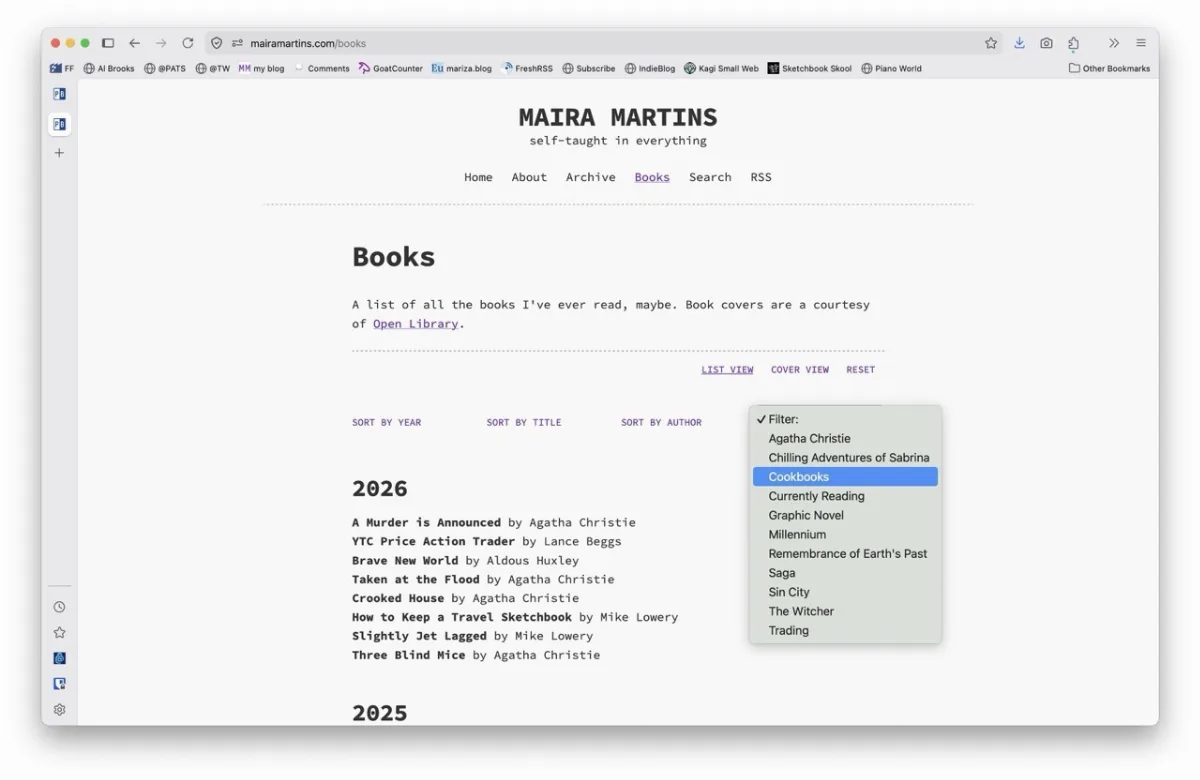 The List view completed
I started working on the book covers. First I made small placeholders with CSS for books with no cover. Took an inordinate amount of time trying to get the perfect CSS gradient. Ended up with a simple linear 0 to 100, lol.
A quick web search pointed me in the direction of the generous and free Open Library Book Covers API. Note: use OLID (OpenLibraryID), as every book in their site has it; ISBN and other types of ID are very inconsistent. One would think every book has an ISBN, but no!
At this point I thought I was basically done with the project, then I realized not every book in my list is on Open Library! For those, I will have to upload book covers manually. I decided to reuse PureBlog's image uploader, but had to rewrite the logic to upload books to /book_covers/ instead of a slug, and to copy only the url, not the entire markdown. For some reason I couldn't get the sidebar to work. Once again I brute-forced my way, listening to click events and using CSS to change classes and force states.
The last thing missing should have been so easy, yet I ended up stuck for HOURS (not quite the classic missing ; but almost).
I updated the book form field to include a "custom_cover" field, so if the book has no OLID we use the custom_cover url, else we show the purple placeholder. This damned field just wouldn't save! I tried everything! I read and reread the entire code, line by line, nothing. Gemini kept blaming different things, claiming we had to override PureBlog's image uploader, override PureBlog's core functions, rewrite I don't know what.
After ages, it dawned on me. I had to add the new field to load_books() and save_books(). I had completely forgotten about the custom functions.php file. And it seems my bright young AI assistant forgot too.
But alàs! After two days of fighting with Gemini, I got my new Books page done! Next up: a Movies & TV page! That should be easy. 🤣
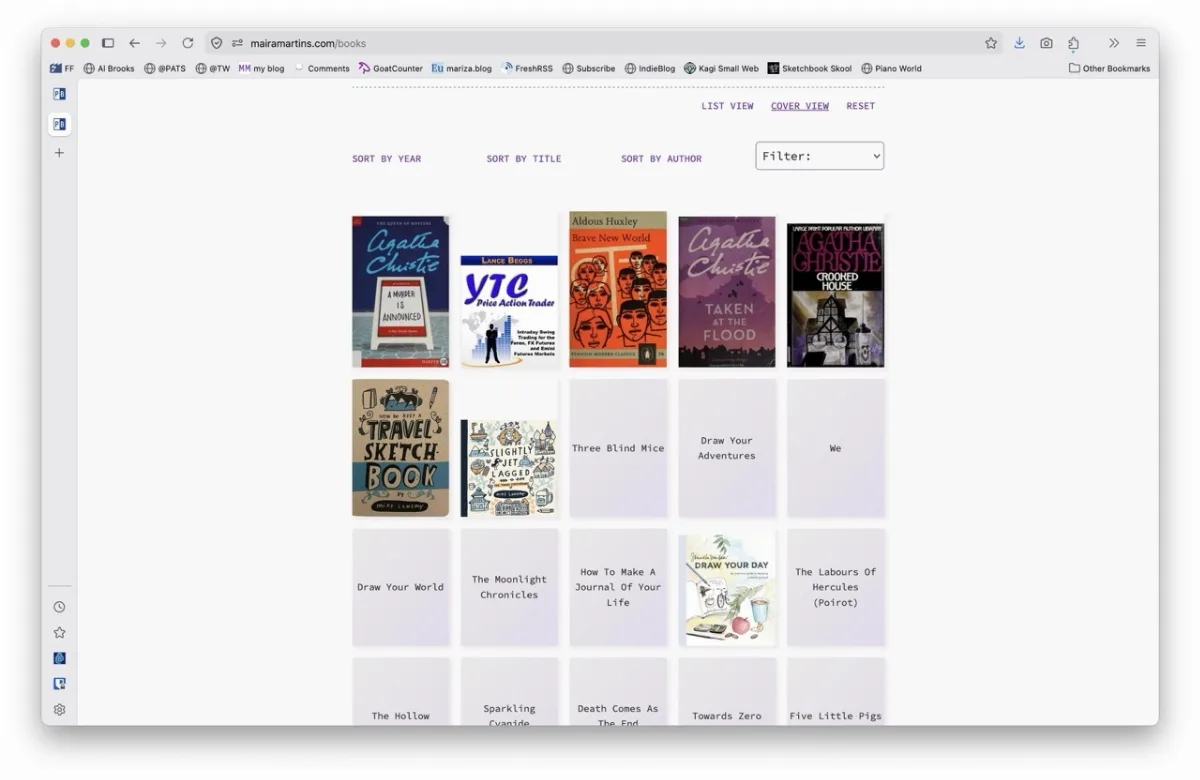 The Cover view completed
Comments